Transporting goods is hard work.
Managing the paperwork is even harder.
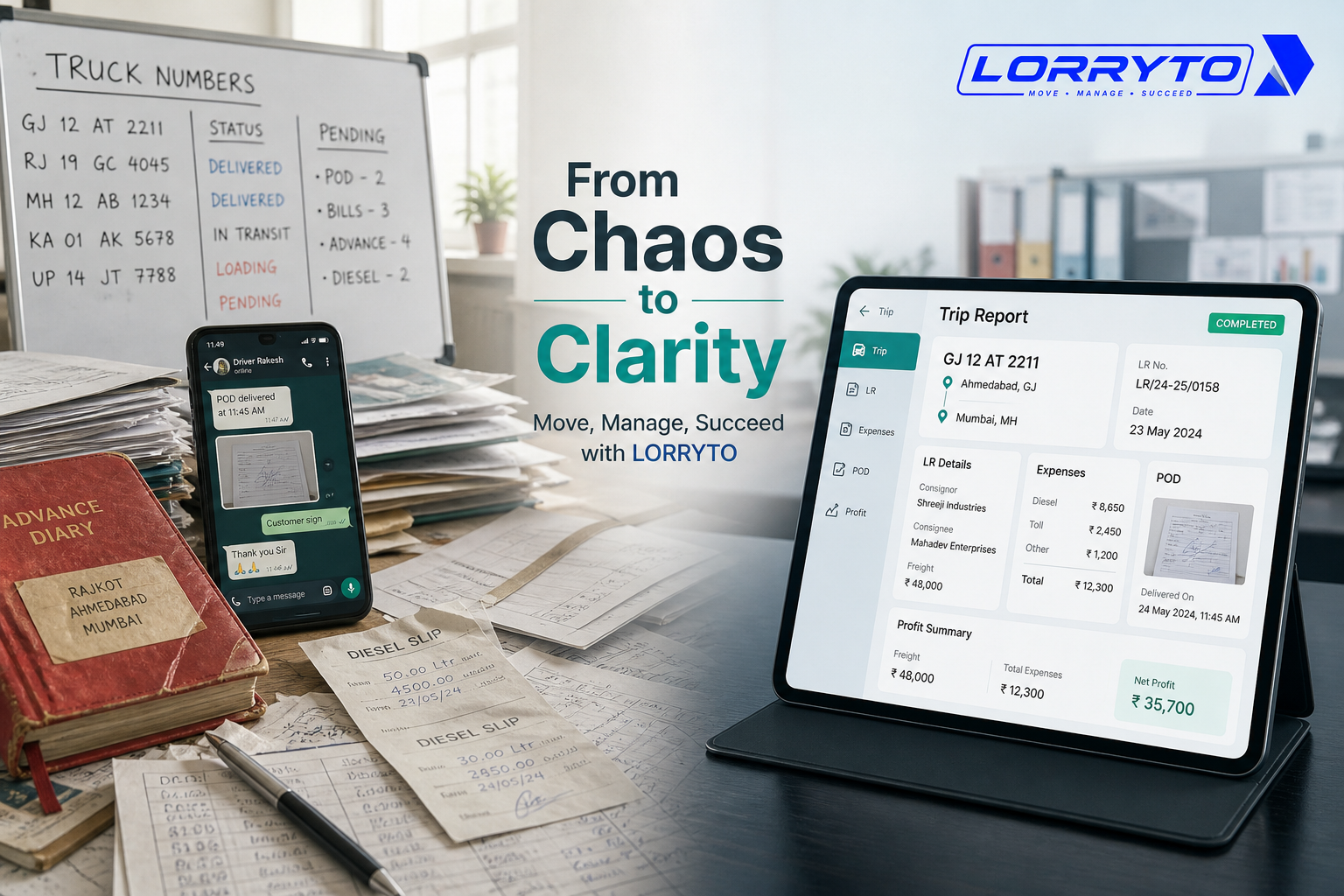
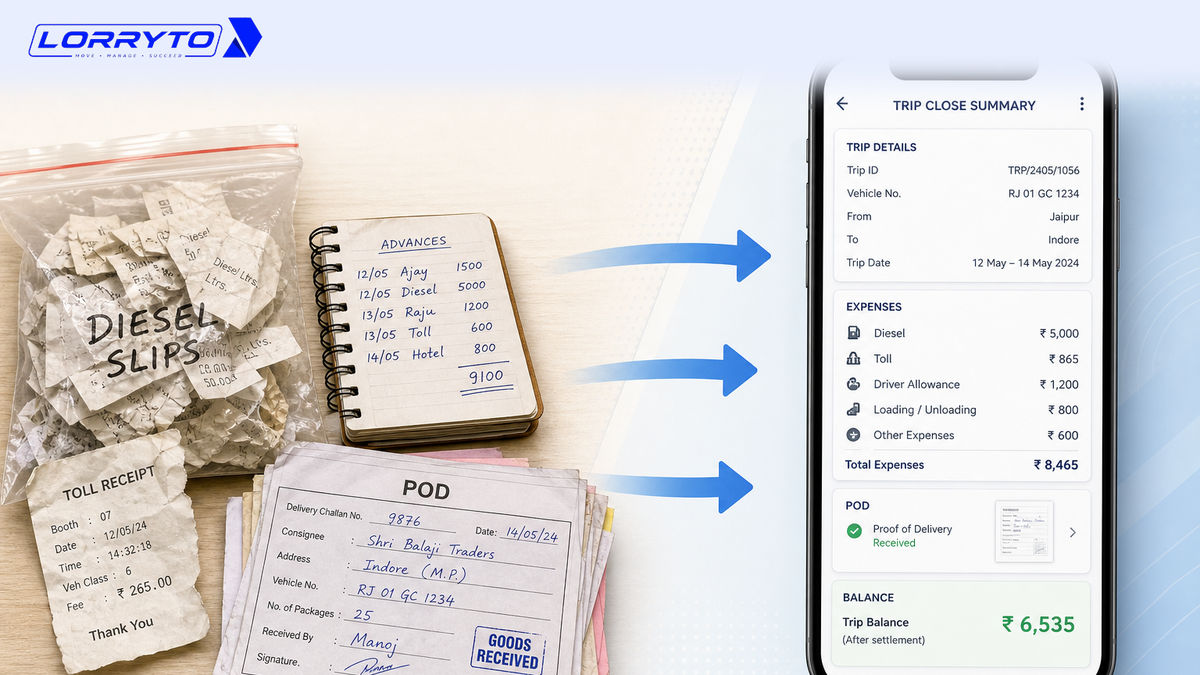
Right now, your desk is probably covered in files. LRs (Lorry Receipts) sit in one thick book. PODs (Proof of Delivery) are stacked in a corner. Driver advances are scribbled in a pocket diary. Fuel bills are stuffed into a plastic folder.
When you have one or two trucks, this can work. You keep a lot in your head.
As the fleet grows, the manual system breaks down.
Stop drowning in endless paperwork. Start running your trip documents from your phone.
This guide shows how Indian transporters can manage every trip document digitally — LR, advances, diesel, POD, vehicle papers, and billing — with tools like Lorryto.
For the full trip-report story (settlement + billing together), see How to manage every trip report digitally. For office-wide file chaos, see How to manage transport documents without files.
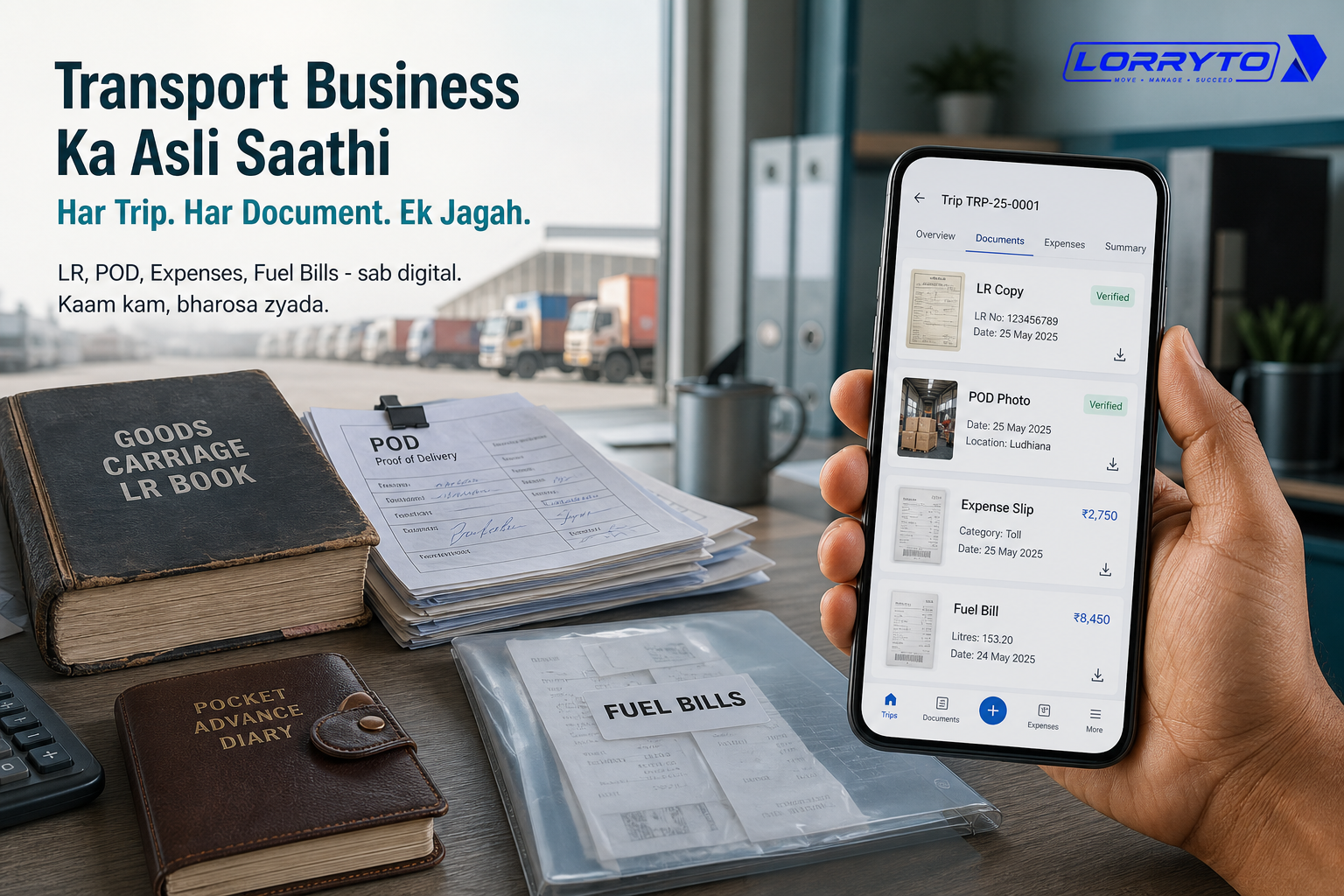
The real problem
Daily operations become a nightmare when every trip creates a pile of papers.
Think about one truck moving from Mumbai to Delhi. You may need to track:
- Vehicle RC and insurance
- Driver details and licence
- Bilty / Lorry Receipt (LR)
- E-Way Bill
- Advance given to the driver
- Diesel slips from the highway
- Toll receipts
- Unloading charges
- Signed POD from the receiver
- Final freight balance
That is a lot of paper for one trip.
Now do this for 5, 10, or 50 trips a month. Keeping it all by hand becomes almost impossible.
Why does this happen?
Every transporter starts small.
You buy a notebook and write things down. Then you add another truck — and another register. Then more drivers and more files.
Before long, paperwork takes more time than finding loads.
How you manage things today
1. Creating Lorry Receipts (LR)
You open the thick LR book. You grab a pen and carbon paper. You write consignor, consignee, and freight. You tear out a copy for the driver — and hope it does not get lost.
A faster path: Create LR and Generate LRs in 2 minutes.
2. Tracking driver advances and expenses
The driver calls for money on the road. You send UPI. You scribble the amount in a diary. Days later, crumpled diesel bills arrive. You sit with a calculator to match the numbers.
Digital flow: Trip payments, Trip expenses, and How to manage every trip’s expenses digitally.
3. Collecting Proof of Delivery (POD)
Goods are delivered. You wait for the driver to return — sometimes after many days. He hands you a dirty, folded, signed paper. Only then can you bill the party.
Better approach: Digital POD management and Upload POD.
4. Billing and payment collection
You gather LR, POD, and expense slips. You staple them. You write a physical bill. You courier it. Then you wait weeks for payment.
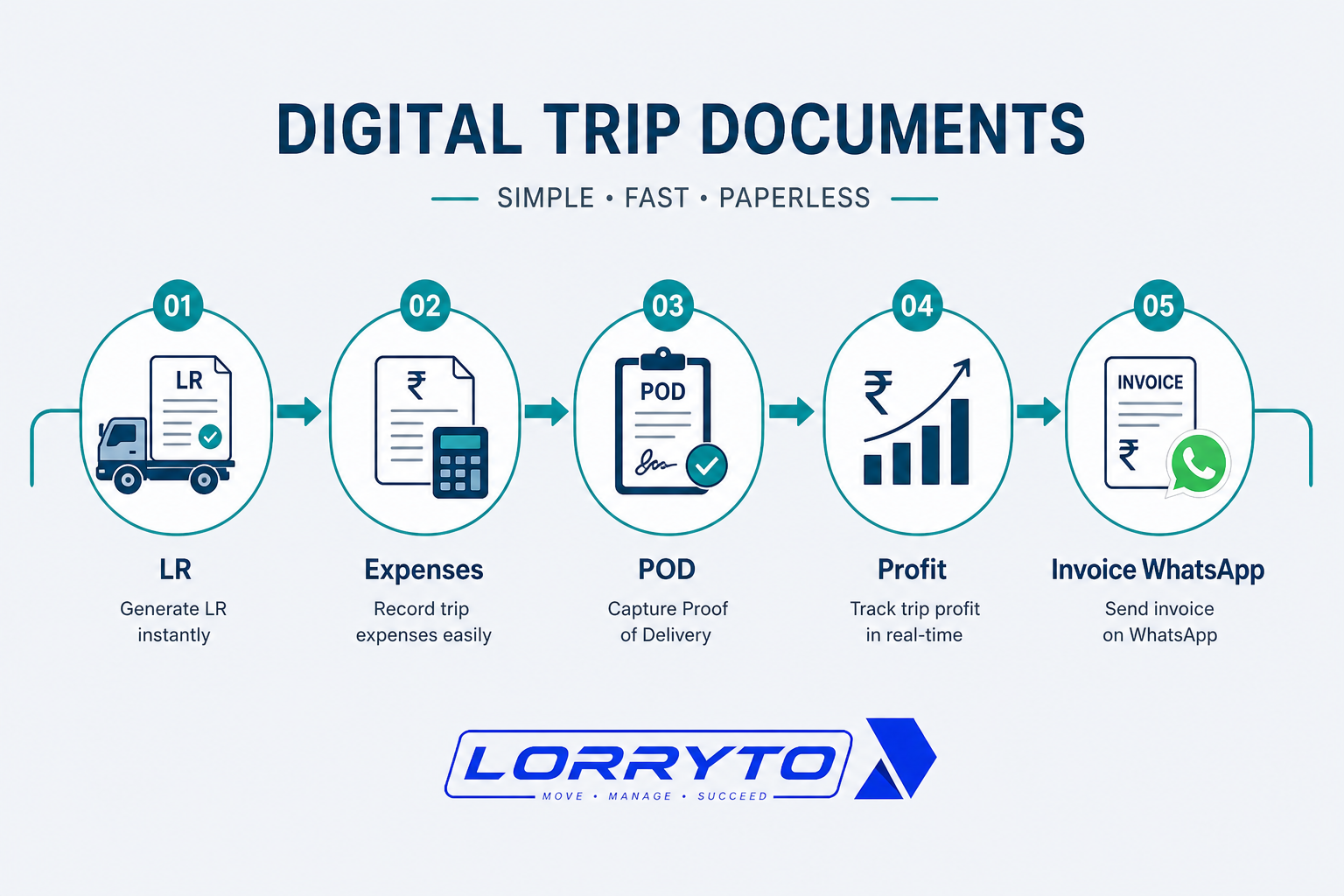
Bill from the trip record with Create invoice and WhatsApp share.
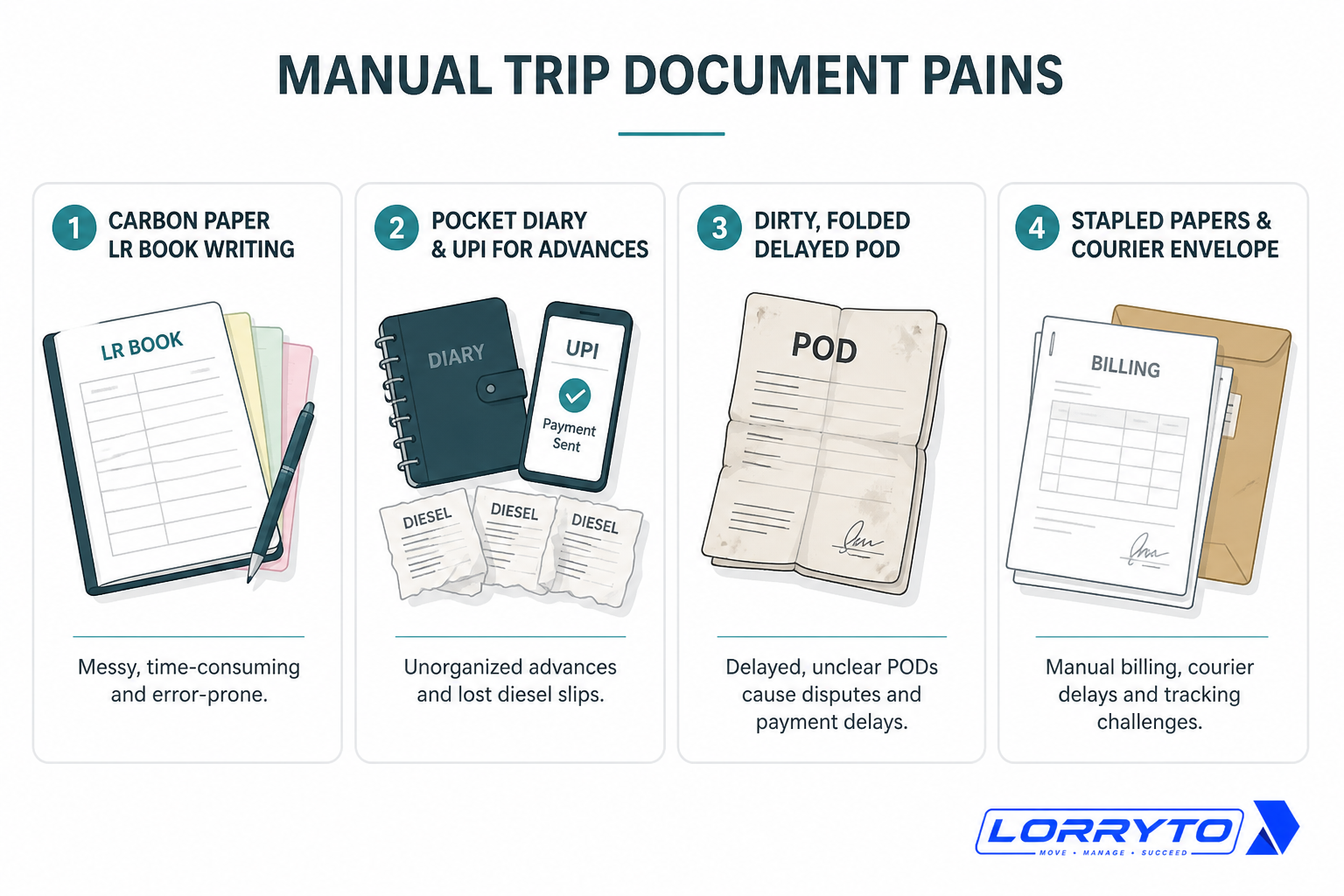
Problems with the manual method
Too much time searching. When a party asks for a POD, you dig through piles while they wait on the phone.
Lost papers mean lost money. Drivers lose diesel bills. PODs get ruined in the rain. No POD often means no payment.
Trip calculations take forever. Adding small slips for profit takes hours and invites calculator mistakes. See Trip profit digitally.
Delayed payments hurt cash flow. Manual PODs take days to reach the office. A courier takes more days. Money stays stuck because paperwork is slow.
Better digital methods
You need a system that moves as fast as your trucks.
Digital document storage
Store RC, insurance, and permits on the vehicle or driver record. Find what you need in seconds — not in a dusty file. See Vehicle documents, Driver documents, and Trip documents.
Instant trip expenses
Drivers can upload fuel bills from the phone. Advances are recorded when they are sent. Fewer fights over missing slips. Optional: Driver App.
Fast digital PODs
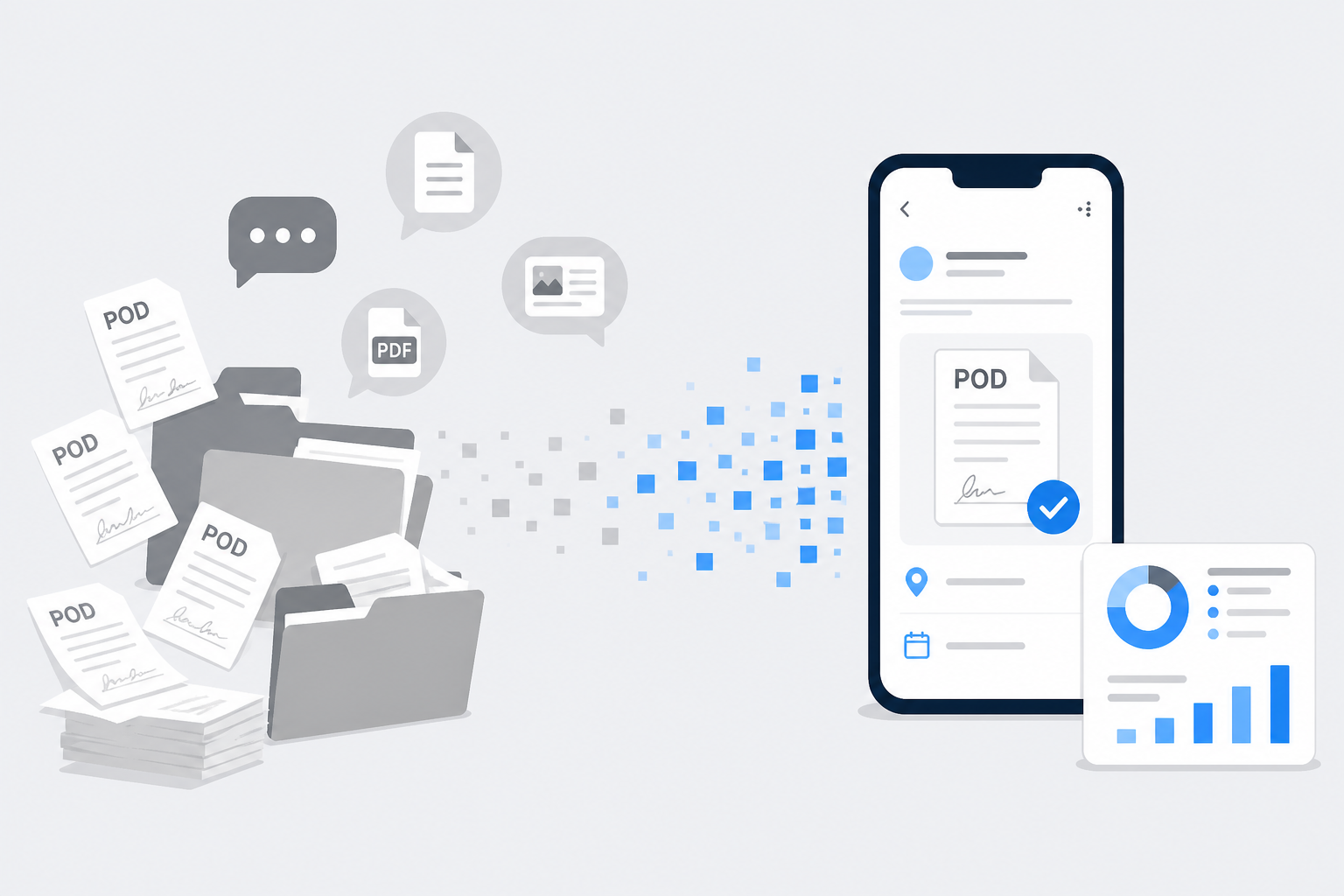
The driver photographs the signed POD at unloading. The file reaches the trip instantly. You can share it with the party the same minute.
How to choose the right software
Not every tool fits Indian transporters. Ask:
- Is it easy enough for my drivers?
- Does it work on a basic Android phone?
- Can I make LRs and bills in one click?
- Does it track trip profitability automatically?
- Is my data safe and backed up in the cloud?
- Can I share documents on WhatsApp?
Wider context: Why digitization is transforming transport and Paperless transport office.
How Lorryto solves this
Lorryto is built for Indian transporters so trip documents are not scattered across books and WhatsApp.
1. Smart digital LRs
Create a professional LR on phone or web in seconds. Share with the party on WhatsApp — without carbon paper. Docs: Create LR, Share LR on WhatsApp.
2. Live expense tracking
Record advances on the trip. Drivers can upload diesel and toll receipts from the road. Totals update without a separate diary. See expenses and payments.
3. Instant POD collection
Get a clear POD photo when goods are unloaded. Send it to the party sooner. Get paid faster without waiting for physical paper. See POD.
4. Automatic profit calculation
See profit or loss per trip on screen — without hours of slip matching. See Trip Profit and fleet profitability tips.
Implementation checklist
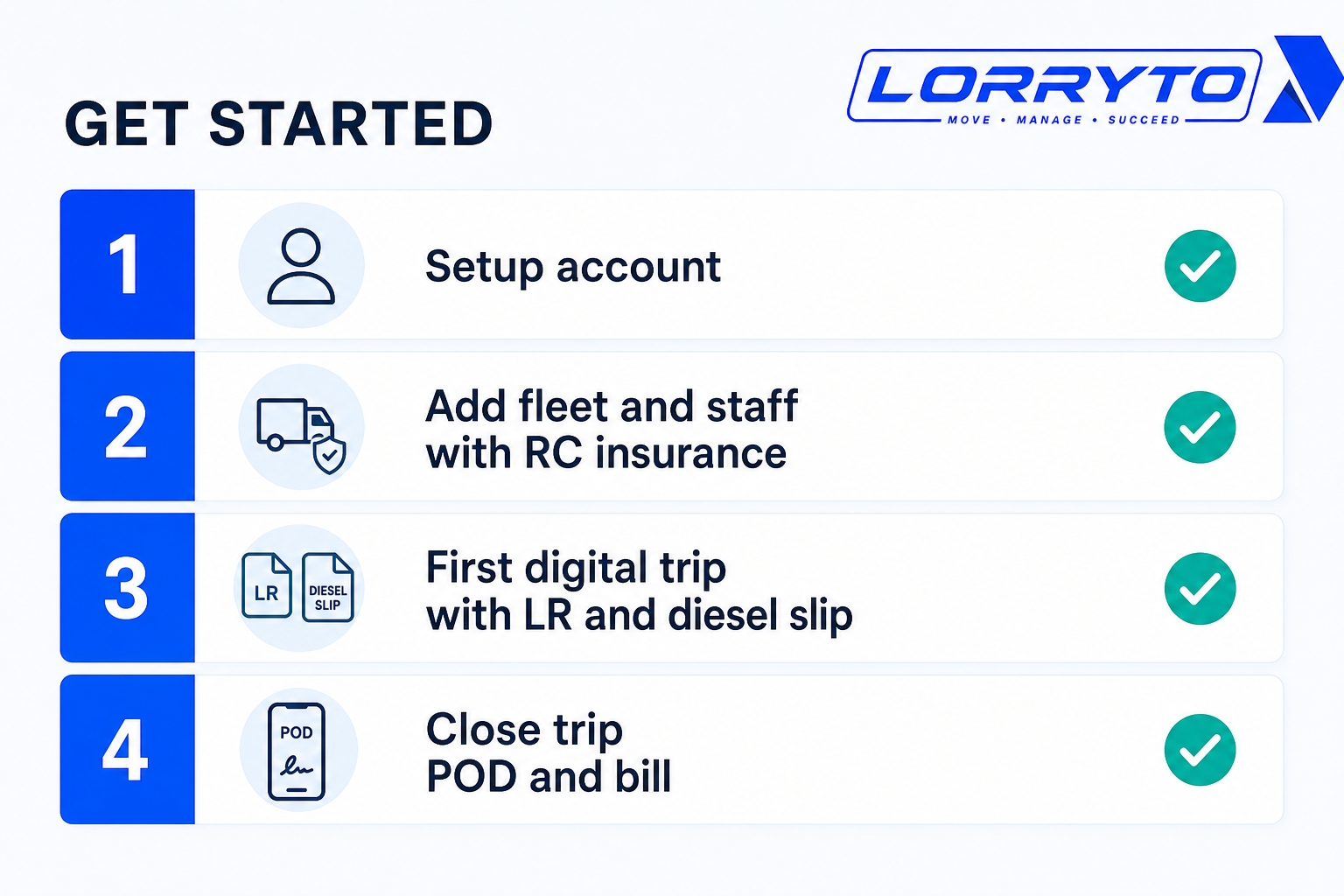
Step 1 — Set up your account
- Go to lorryto.com and sign up
- Add company details and logo (Company)
- Add bank details for billing (Bank)
Step 2 — Add your fleet and staff
- Enter truck numbers (Vehicles)
- Upload RC and insurance photos (Vehicle documents)
- Add drivers and mobile numbers (Driver documents)
Step 3 — Run your first digital trip
- Create your first digital LR (Create LR)
- Record the starting advance (Payments)
- Ask the driver to upload the first diesel slip (Expenses or Driver App)
Step 4 — Close the trip and bill the party
- Receive the digital POD on the trip (POD)
- Check automatic trip profit (Edit / Trip Profit)
- Generate the invoice and WhatsApp it (Create invoice, Download & share)
Closing tips: Trip closing digitally. Getting started: docs.
FAQs
Is Lorryto for small transport businesses?
Yes. Even one truck can save hours of paper chase each week. See getting started.
Will my drivers be able to use it?
Yes. If they can use WhatsApp, they can learn the Driver App for POD and expense photos.
Will I lose my old manual records?
No. Keep old registers safe. Start Lorryto for new trips from today.
How long does it take to start?
Often under 5–10 minutes for signup, company setup, and your first digital LR if masters are ready.
How is this different from the “documents without files” blog?
That post is the broader paperless office. This article is the trip-document workflow in the “Every Trip … Digitally” series — LR, slips, POD, profit, and invoice on one trip.
Final thoughts
Your transport business should not feel like a paper factory.
Technology is not only fancy software. It is saving time, getting paid faster, and growing your fleet.
Ditch the old registers for new trips. Put every trip document on the trip record. Share POD and bills when the work is done — not weeks later.
References and next reads: Trip report digitally · Trip closing digitally · Trip tracking digitally · Trip profit digitally · Trip expenses digitally · Digital POD · Transport documents without files · Paperless transport office · Generate LRs in 2 minutes · Share LR on WhatsApp · 5 ways to make fleet more profitable · Why digitization is transforming transport · Getting started · Trips · Create LR · Trip documents · Trip expenses · Payments · Upload POD · Edit trip / Trip Profit · Vehicle documents · Driver documents · Driver mobile app · Create invoice · Invoice WhatsApp share · Company · Bank · Parties
Ready to run trips without registers?
Create LRs, track payments, and keep documents in one place with Lorryto — free trial available.
Start Free Now