Your transport office is busy.
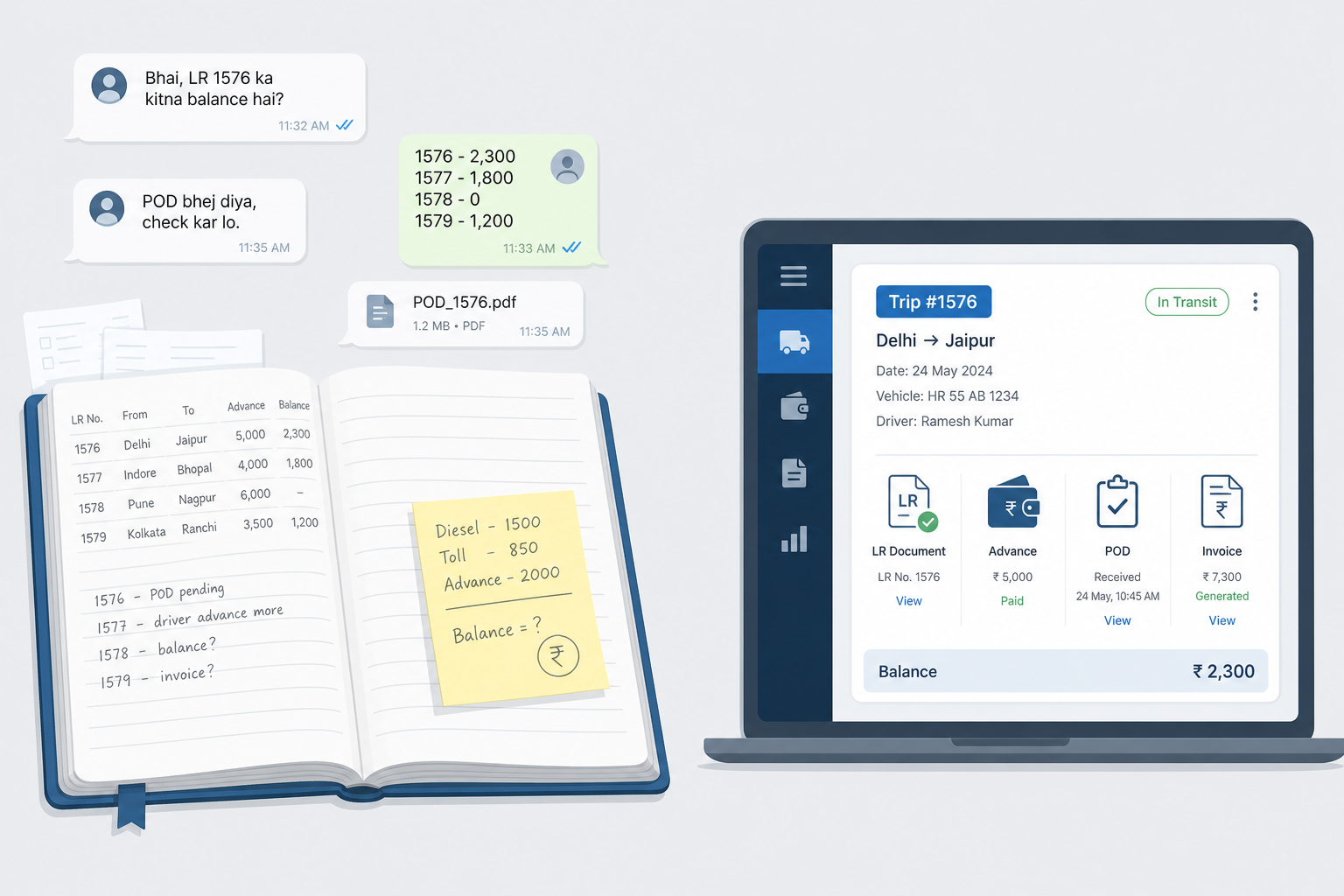
Phones keep ringing. Trucks are loading. Drivers need money. Parties ask for their balance.
Right now, you write everything down.
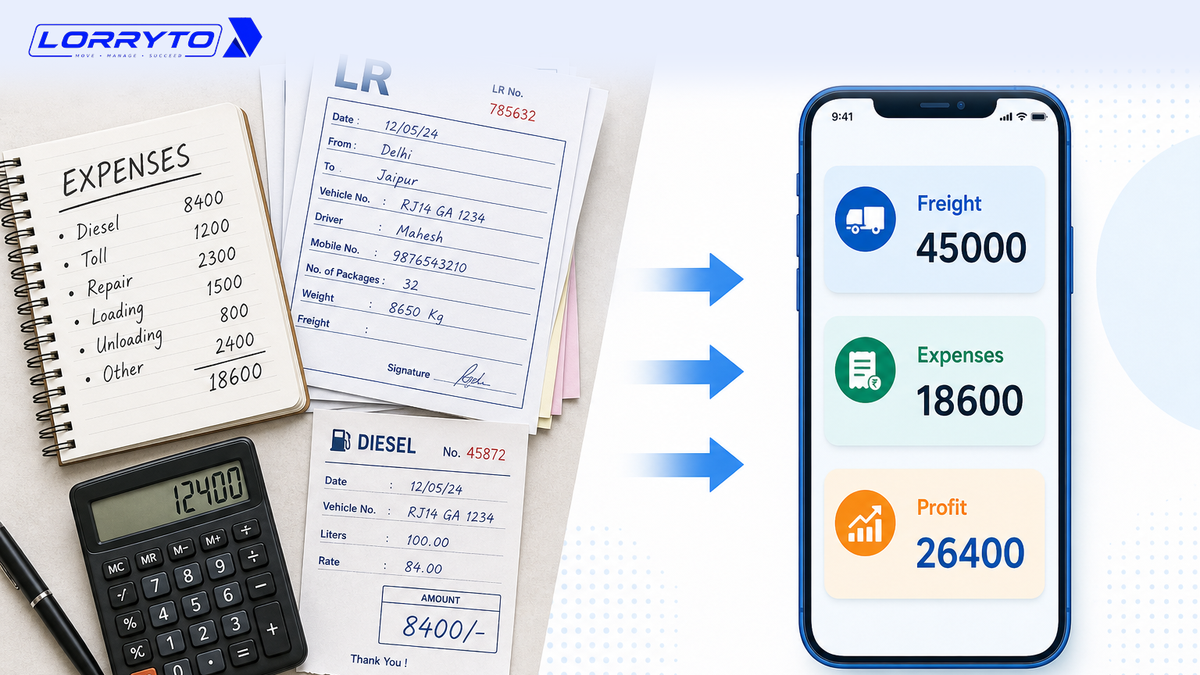
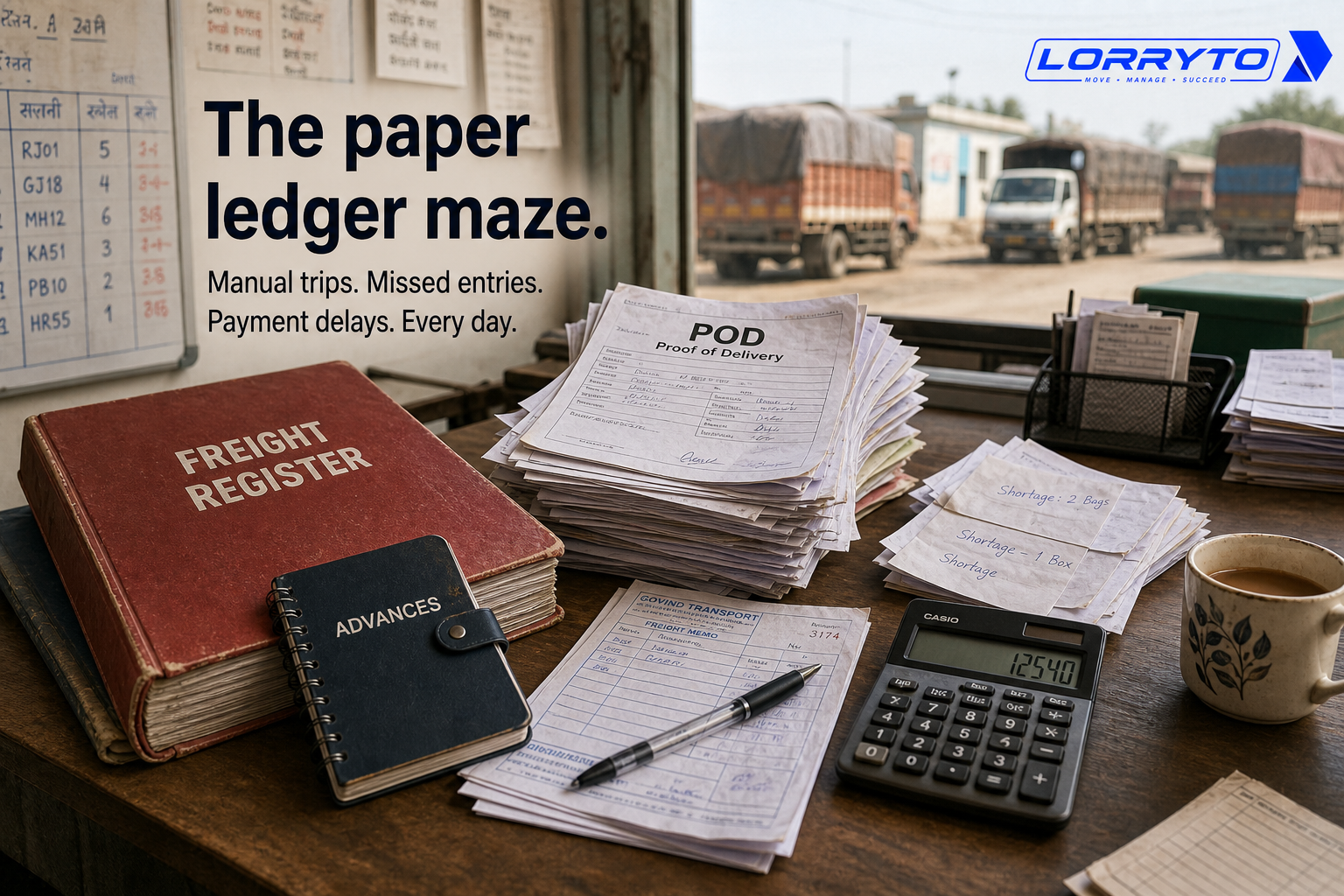
Freight details go in one red register. Advances sit in a small diary. PODs live on loose paper. Shortages get scribbled on the back of receipts.
When you have one truck, this can work. When you have a few parties, you remember most of it.
As the business grows, that system fails.
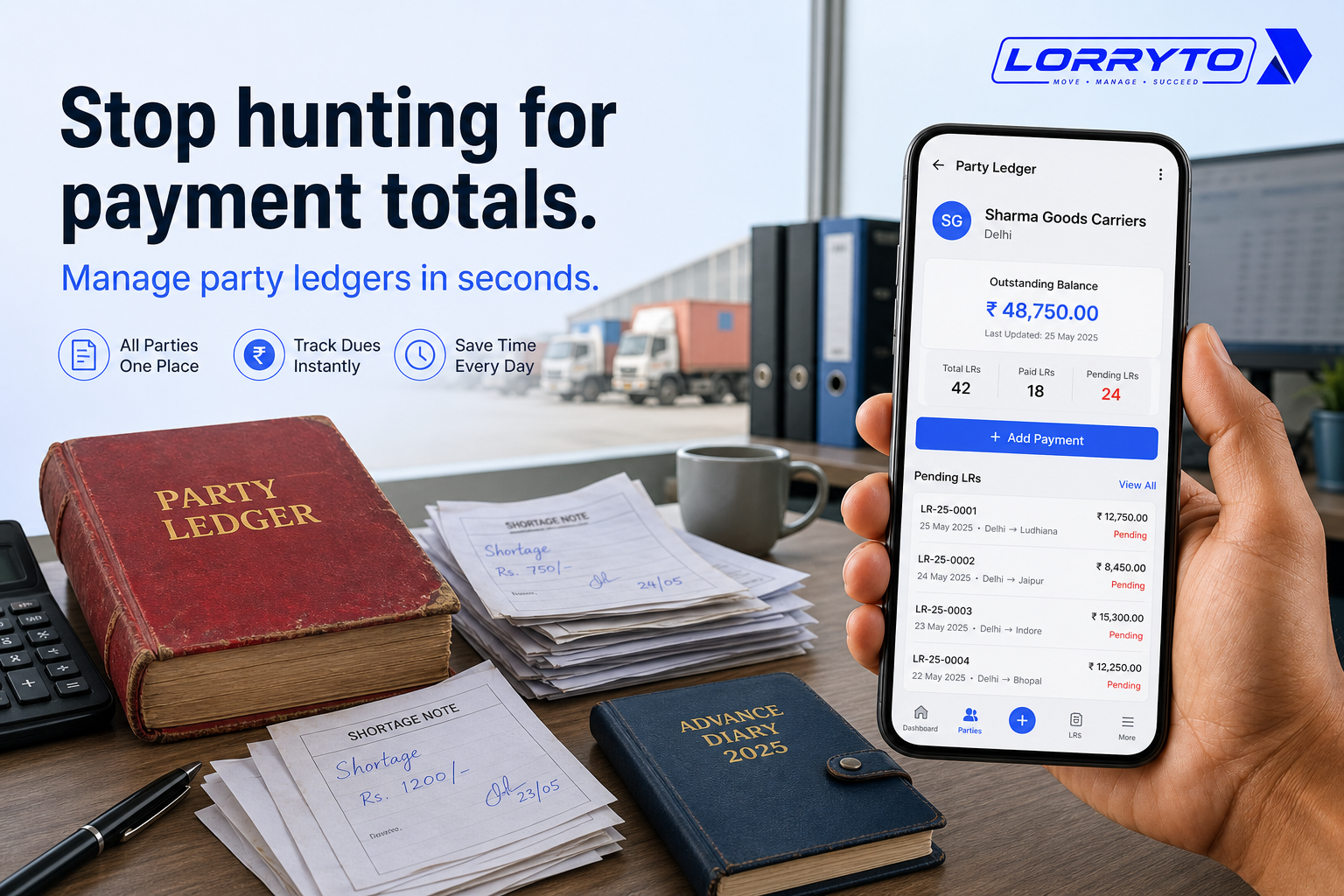
Stop hunting for payment totals. Start managing party ledgers in seconds.
This guide shows how Indian transporters can run party balances, trip settlement, POD, and billing digitally — with tools like Lorryto.
For trip closing and settlement, see How to manage every trip closing digitally. For LR and party page basics, see How to manage LRs and trips without paperwork headache.
The real problem
Daily operations become overwhelming when one trip is never just one entry.
To manage a single job, you often track:
- The Lorry Receipt (LR) number
- The total freight amount
- The advance paid to the driver
- The advance paid by the party
- Detention charges
- Weight shortages or damages
- The final balance due
That is a lot of numbers for one trip.
Do this for 5 trips. Then 10. Then 50 a month. The books stop helping and start slowing you down.
Why does this happen?
You started small.
Pen and paper felt easy. Then you got more trucks. Then more customers.
Instead of changing the system, you added more registers. More diaries. More files.
Soon the paperwork itself is out of control.
How you manage things today
1. Finding the party balance
You open the main ledger book. You find the party’s page. You add pending LRs on a calculator. You check another book for partial payments. You hope nothing was missed.
A faster path: open Parties, check the party page, and pull a Party Invoice Report when someone asks for a full statement.
2. Settling a trip
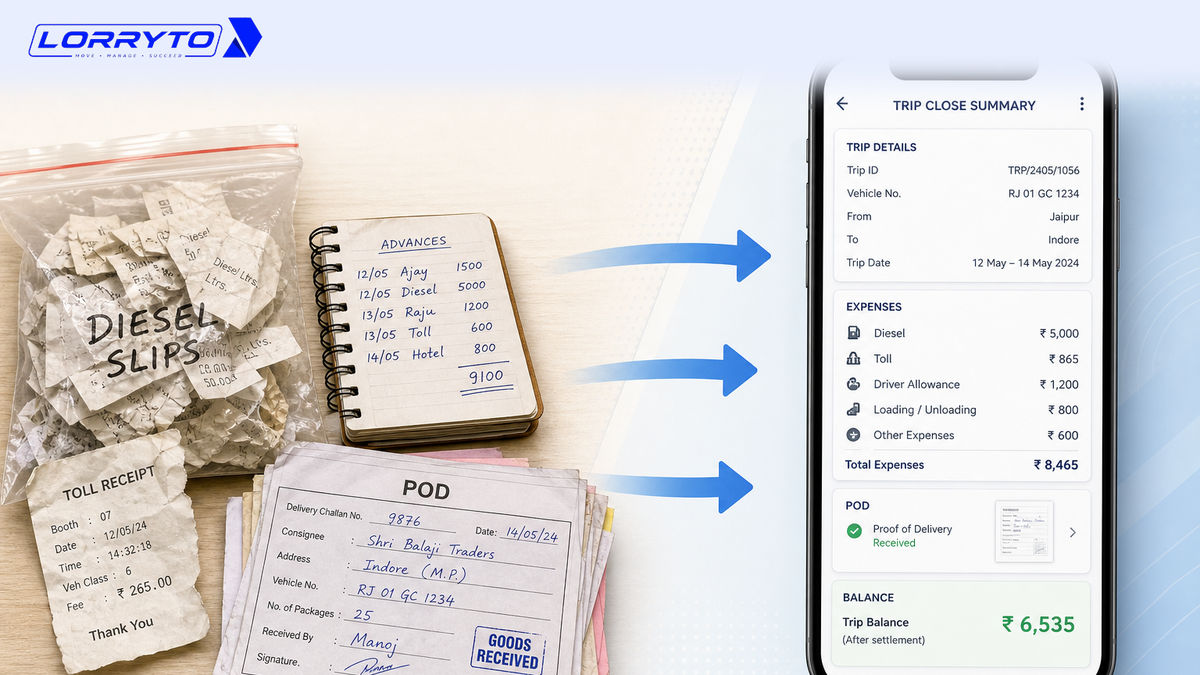
You dig out the original LR copy. You check the driver’s diary for advances. You call the unloading point about shortage. You subtract by hand and hope the math is right.
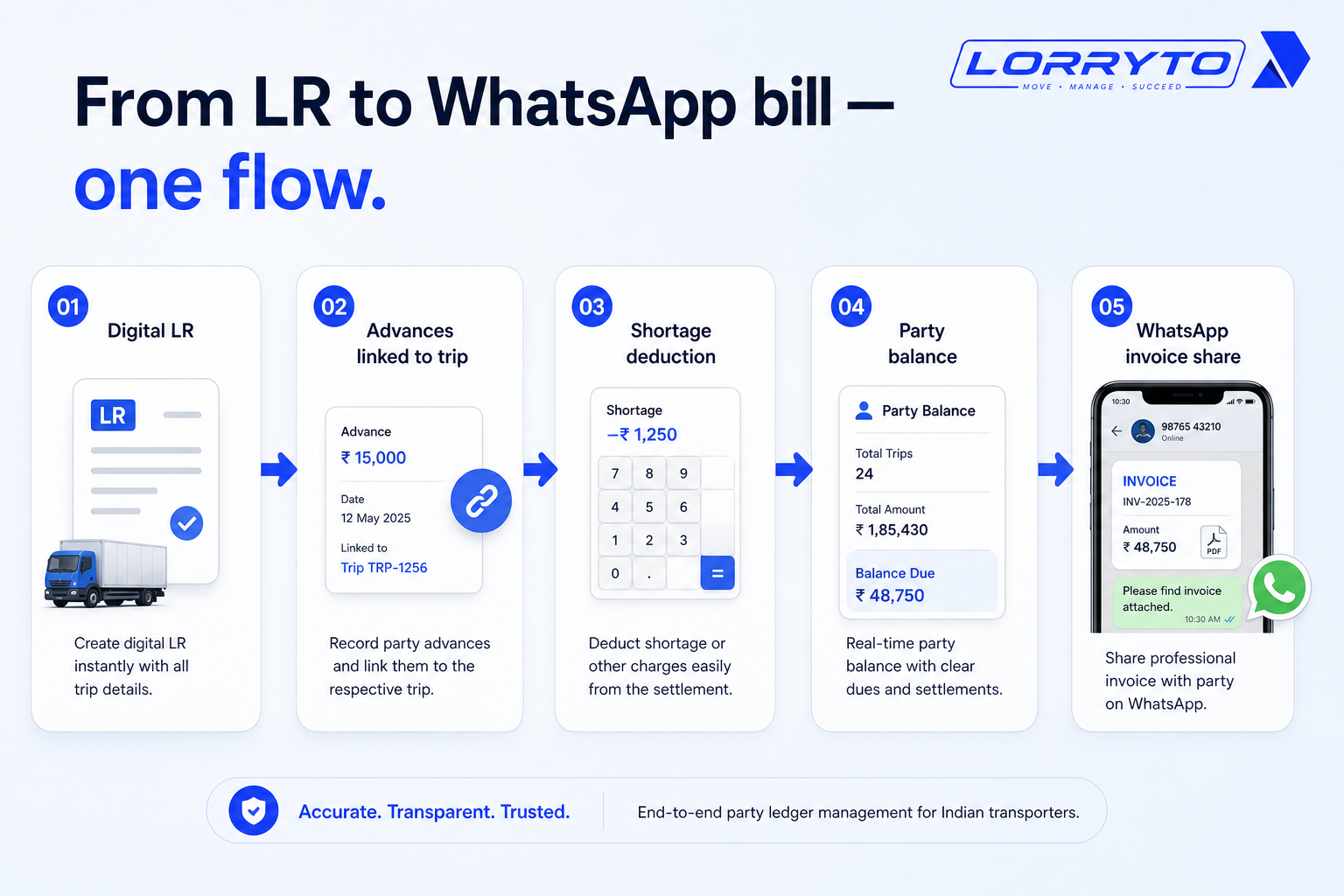
Digital flow: record payments, add deductions for shortage, and close the numbers on the trip edit / profit screen. Closing tips: Trip closing digitally.
3. Managing PODs
You sort a stack of papers on the desk. You look for a signature. You tick a notebook. You call the party to confirm they got it.
Better approach: Upload POD on the same trip and read Digital POD management.
4. Sending the bill
You write the bill by hand. You take a photo. You send it on WhatsApp. Then you wait days for a reply.
Bill from the trip with Create invoice and download or share on WhatsApp.
Problems with the manual method
Too much time searching. You spend hours looking for old records. The desk fills with paper. When a customer calls, you cannot find the page fast enough.
Calculations take too long. Punching numbers into a calculator twice still delays billing. Slow bills slow cash flow. See also Trip profit digitally.
Human errors cost money. You forget a driver advance. You miss a shortage claim. Small mistakes eat profit every month.
Dependency on one person. Only one person knows where the books are. If that person is sick, work stops. Nobody else can read the handwriting.
Better digital methods
A good digital system does the heavy lifting for you.
Instant balances
See what a party owes on one screen. No calculator. Always up to date. Start from Parties and the party page.
One-click trip settlement
Advances stay linked to the trip. Shortages are entered once. Final freight is ready without rebuilding the math from three notebooks. Use payments, deductions, and trip edit.
Easy billing
Create a clean bill from completed trips. Share the PDF on WhatsApp. Get paid faster without photo-of-handwritten-bill chaos. See Create invoice and Invoice WhatsApp share.
How to choose the right software
Do not buy just any tool. Ask first:
- Is it made for Indian transporters?
- Can I use it on my mobile phone?
- Does it handle LRs, advances, and shortages together?
- Is it easy enough for my staff to learn in one day?
- Can I send bills to parties on WhatsApp?
Wider context: Why digitization is transforming transport and Paperless transport office.
How Lorryto solves this
Lorryto is built for this exact problem — Indian transporters who need party ledgers without the red book.
1. Smart party ledgers
View the balance for any party instantly. See pending work without opening a register. Download statements when a party asks. Docs: Parties, party page, Party Invoice Report.
2. Automatic trip accounts
Enter freight and advances once. Lorryto keeps the trip numbers together so you can settle without chasing diaries. See Create LR, payments, and deductions.
3. Digital POD tracking
Upload POD photos on the trip. Share them with the party when needed. Stop losing paper receipts. See POD.
4. One-click WhatsApp invoices
Create a professional bill from the trip. Share it on WhatsApp with a PDF link. Look clean and follow up faster. See Create invoice and download & share. For LR sharing, see Share LR on WhatsApp.
Implementation checklist
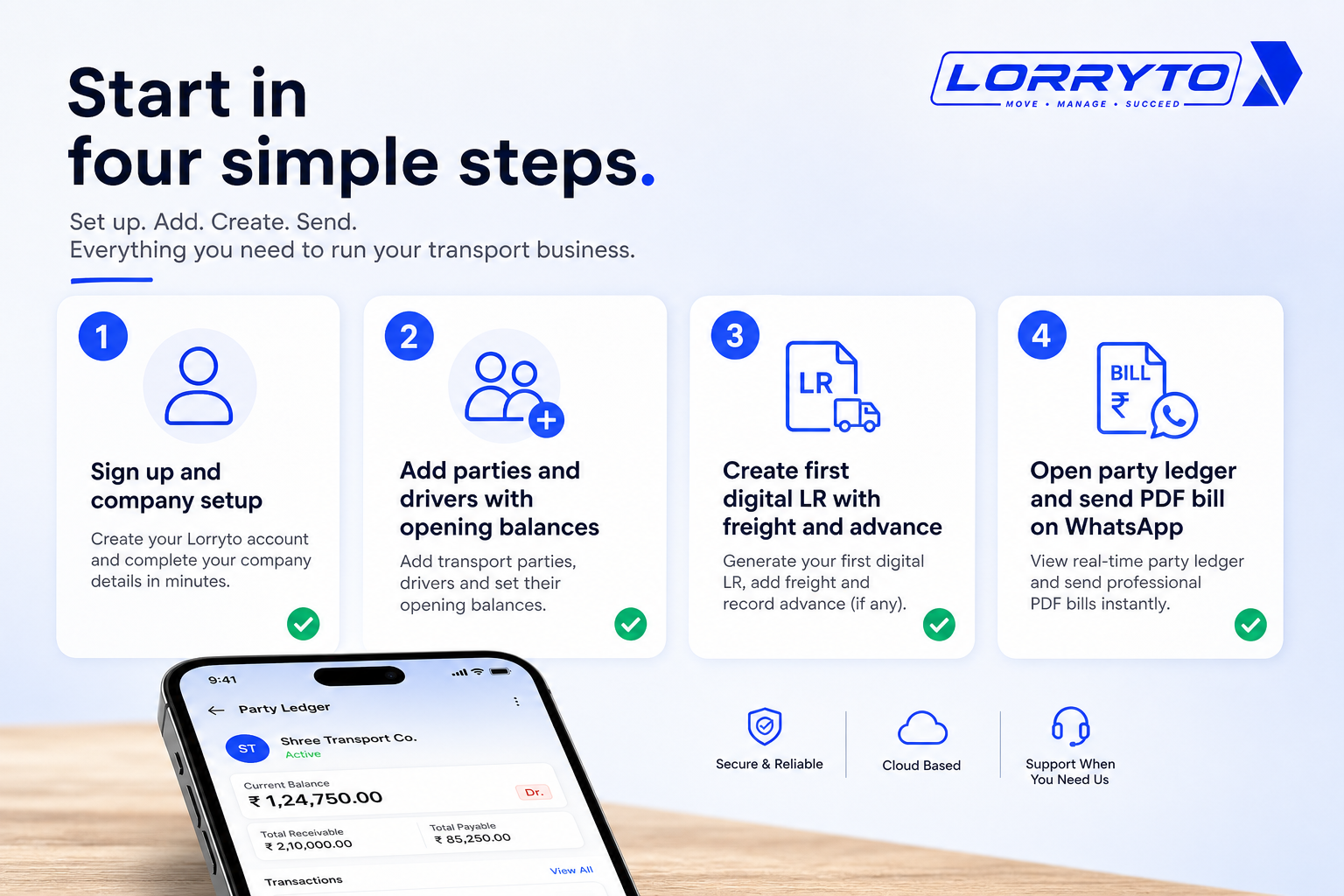
Step 1 — Sign up and set up
- Go to lorryto.com and create an account
- Enter company details and logo (Company, logo & signature)
- Add your first trucks (Vehicles)
Step 2 — Add your master data
- Add your top parties (Add party)
- Add regular drivers (Drivers)
- Set opening balances where needed so old dues are not lost
Step 3 — Create your first digital LR
- Enter the trip (Create LR)
- Add the freight amount
- Record the driver advance (Payments)
- Save and view the digital LR (Download / print)
Step 4 — Check the magic
- Open the parties list or party page
- See the balance update after the trip work is recorded
- Create the bill and send the PDF (Create invoice, WhatsApp share)
Getting started guide: docs. Need collections later? See Collection memo.
FAQs
Is this software for small transporters?
Yes. It works well even if you only have one or two trucks. See getting started.
Will I lose my old records?
No. Keep old registers safe. Enter opening balances when you start, then run new trips digitally.
Do I need a computer?
No. You can run most of the office from a smartphone. Create LRs, check parties, and share bills from the phone.
How long does it take to learn?
It is designed to be simple. Most users get comfortable in under an hour once parties and vehicles are added.
How is this different from the “LRs without paperwork” blog?
That post covers the wider LR and trip workflow. This article focuses on the party ledger — balances, settlement, POD, and billing when a party asks what they owe.
Final thoughts
Your time is too valuable to spend adding up numbers in a red book.
Software should do the hard work so you can focus on getting more loads.
Stop struggling with messy paper ledgers. Put every trip on a digital record. Open the party screen when the phone rings — and send a clean bill the same day.
References and next reads: LRs without paperwork headache · Trip closing digitally · Trip profit digitally · Trip report digitally · Digital POD · Share LR on WhatsApp · Generate LRs in 2 minutes · Paperless transport office · Why digitization is transforming transport · Getting started · Parties · Add party · Party page · Party Invoice Report · Create LR · Payments · Deductions · Upload POD · Edit trip / Trip Profit · Download / print LR · Create invoice · Invoice WhatsApp share · Collection memo · Company · Drivers · Vehicles
Ready to run trips without registers?
Create LRs, track payments, and keep documents in one place with Lorryto — free trial available.
Start Free Now